System requirements
Xenia is an Xbox 360 emulator that requires a capable PC because it performs real-time translation of Xbox 360 hardware functions into a format that modern systems can process. The performance you get depends on your processor, graphics card, memory, storage speed, and the specific game being tested.
A suitable system helps improve game compatibility, reduce crashes, and provide smoother gameplay. Since Xbox 360 titles have different levels of complexity, some games may require more powerful hardware than others.
Before installing Xenia, users should ensure their PC meets the recommended requirements and that important system components are up to date.
A modern 64-bit Windows operating system is required for running Xenia. Keeping Windows updated helps maintain compatibility with required drivers and system libraries.
The CPU plays a major role in emulator performance because many Xbox 360 operations depend on processing power. A modern processor with strong performance can improve frame stability and reduce slowdowns.
The GPU is responsible for rendering game graphics. A compatible graphics card with updated drivers helps improve visual accuracy, performance, and overall stability.
Adequate RAM and storage space are also important. More memory helps the system handle emulator processes smoothly, while SSD storage can improve loading times and responsiveness.
For the best results, users should test their hardware with the games they plan to play, as compatibility and performance can vary across Xbox 360 titles.
Where to download Xenia (Web)
Downloading Xenia from reliable sources is important to ensure that you receive the correct emulator files and the latest improvements. Xenia development continues regularly, so using an updated build can provide better compatibility, performance improvements, and bug fixes.
Users should download Xenia from official project resources or trusted release channels. Avoid unofficial packages because they may contain modified files, outdated versions, or incomplete builds.
Before downloading, choose the appropriate build type based on your needs. Stable versions are generally preferred for reliability, while Canary builds provide newer changes and experimental improvements.
After downloading Xenia, verify that the files are complete and extract them to a dedicated folder. Keeping the emulator organized makes updates and troubleshooting easier.
Prepare your PC: prerequisites and settings
Preparing your PC before running Xenia helps create a more stable emulation environment. This includes updating Windows, installing required components, and ensuring that your hardware drivers are working correctly.
A properly prepared system can reduce common problems such as crashes, graphical errors, and performance drops.
Before launching Xenia, users should check the following areas:
- Windows should be updated to a supported 64-bit version.
- Graphics drivers should be updated to the latest available version.
- Required system libraries and runtime components should be installed.
- Sufficient storage space should be available for emulator files and games.
Power settings can also affect emulator performance. Using a performance-focused power plan may help prevent unnecessary CPU limitations during gameplay.
Users should close unnecessary background applications before running demanding games. This allows more system resources to be available for Xenia.
A clean and properly configured PC provides a better foundation for testing Xbox 360 games through emulation.
Required runtime libraries and GPU drivers
Xenia depends on specific Windows components and updated hardware drivers to run correctly. Installing the required runtime libraries ensures that the emulator has access to the system files needed for proper operation.
Missing or outdated runtime components can cause problems such as startup errors, crashes, or unexpected behavior. Users should make sure that essential Windows libraries are installed before troubleshooting emulator issues.
GPU drivers are especially important because Xenia relies on the graphics card to render Xbox 360 games. Updated drivers can improve compatibility, fix graphical problems, and provide better performance.
Before launching games, users should verify that their graphics drivers are up to date and that their GPU supports the required graphics features.
Keeping Windows components and GPU drivers up to date creates a more stable environment and reduces problems caused by outdated software.
Recommended Windows settings and permissions
Proper Windows settings can help Xenia run more smoothly and prevent permission-related issues. Users should ensure that the emulator has access to its files and folders without unnecessary restrictions.
Installing Xenia in a dedicated folder outside protected system directories can help avoid access problems. Locations with restricted permissions may prevent the emulator from creating configuration files or saving data correctly.
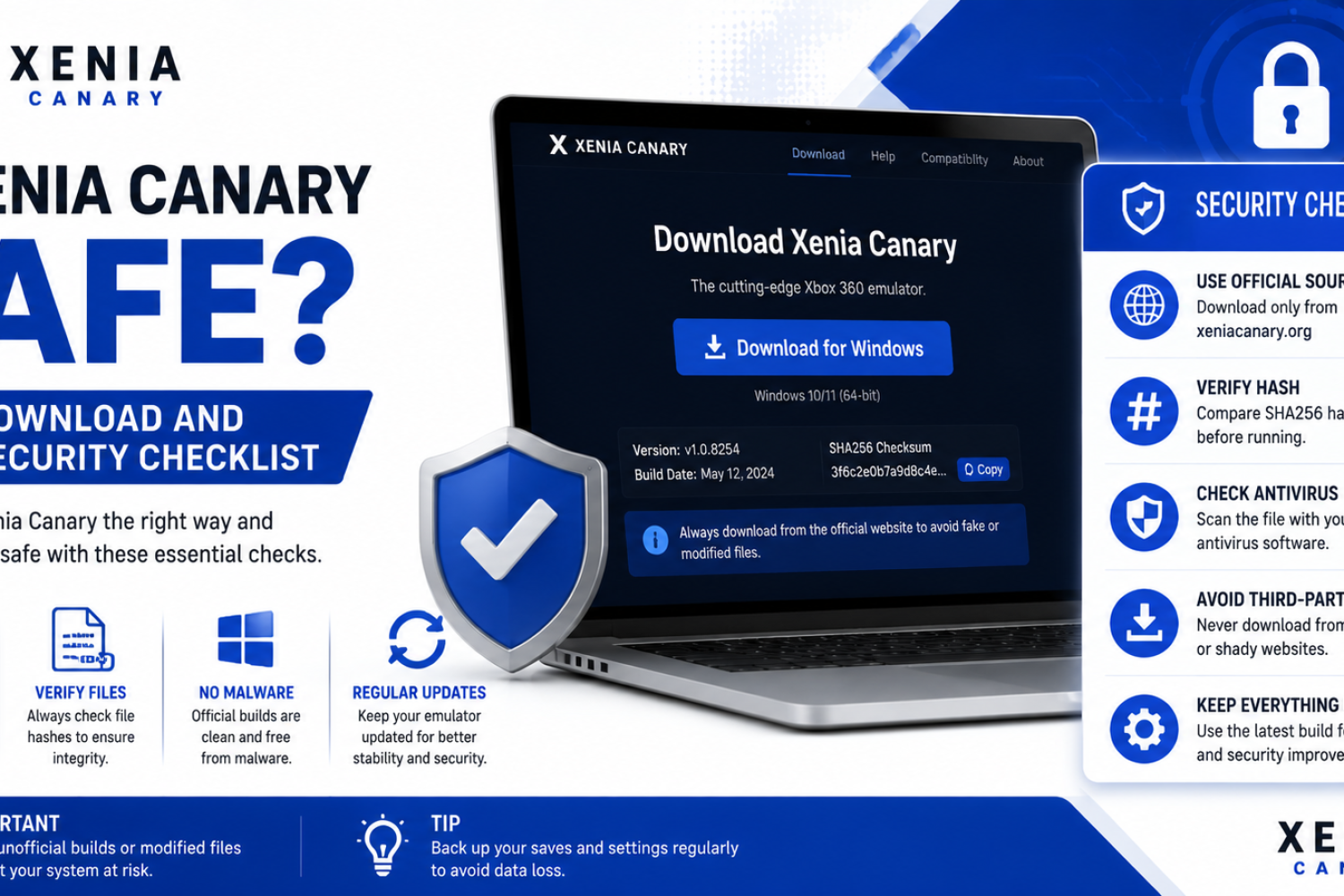
Windows security software may sometimes block emulator files or incorrectly identify them as suspicious. If Xenia does not start properly, users should check whether any files have been quarantined or blocked.
Running the emulator with appropriate permissions can help resolve file access issues. However, users should only adjust security settings when necessary and ensure that files come from trusted sources.
Keeping a clean folder structure, updated system components, and correct permissions helps create a reliable Xenia setup.
Controller setup and input mapping
A properly configured controller is important for getting the intended Xbox 360 experience with Xenia. The emulator works best with XInput-compatible controllers because they use the same input layout as the original Xbox 360 hardware.
Modern Xbox controllers are usually detected automatically, allowing users to start playing with minimal configuration. Other gamepads may require manual mapping or additional tools to match the expected Xbox controller layout.
Before launching a game, users should test important controls such as analog sticks, triggers, face buttons, and vibration support when available. This helps identify input issues before gameplay begins.
Input mapping allows users to customize controller behavior according to their preferred setup. Proper mapping can fix issues such as incorrect buttons, missing inputs, or controller conflicts.
Saving controller settings after configuration makes future sessions easier because users do not need to repeat the setup process each time they launch Xenia.
Obtain Xbox 360 game files: supported formats and legal notes
To run games in Xenia, users need properly prepared Xbox 360 game files that are compatible with the emulator. The quality and structure of these files can affect loading, performance, and overall stability.
Users should only use game files that they have the legal right to access. Creating personal backups from owned games is generally intended for preservation and personal use, while downloading unauthorized copies may create legal and compatibility concerns.
Supported game formats depend on how the Xbox 360 data was prepared and how Xenia handles different types of game content. Correctly organized files help the emulator identify and load games properly.
Before adding games to Xenia, users should verify that the files are complete and stored in an organized location. Incomplete or damaged files can lead to crashes, missing content, or games failing to start.
Keeping original game data, backups, and emulator files organized makes it easier to manage a reliable Xenia library.
Controller setup and input mapping
A properly configured controller is essential for playing Xbox 360 games through Xenia. The emulator works best with XInput-compatible controllers because they match the original Xbox 360 input system.
Most Xbox controllers are detected automatically, but other devices may require manual mapping. Users should test buttons, analog sticks, triggers, and vibration features before starting gameplay.
Custom input mapping allows players to adjust controls based on their preferred setup. Saving controller configurations can prevent the need to repeat setup steps after restarting Xenia.
Obtain Xbox 360 game files: supported formats and legal notes
Xenia requires properly prepared Xbox 360 game files to run titles correctly. The quality, structure, and completeness of these files can affect compatibility and performance.
Users should only use game files that they legally own or have permission to use. Personal backups from owned games are intended for preservation, while unauthorized copies may create legal and compatibility concerns.
Supported file types and legal considerations
Xenia Canary supports specific Xbox 360 game formats that contain the required data for emulation. Correctly organized files help the emulator identify and launch games properly.
Users should verify that their game files are complete and stored correctly. Damaged or incomplete data can cause crashes, missing content, or games failing to start.
Legal requirements for creating and using backups vary by location. Users should understand their local laws and use only files they have the right to access.
Stock/unmodded console method: requirements and preparation
Creating personal game backups from an Xbox 360 requires suitable hardware, storage options, and preparation. The exact process depends on the type of game data being preserved.
Before creating backups, users should organize storage locations and ensure that their original games and hardware are properly prepared.
A clean backup process helps create reliable files that are easier to manage and test with Xenia.
Ripping discs step-by-step
Backing up physical Xbox 360 discs involves creating a digital copy of the game data for personal preservation. The process requires compatible hardware and tools designed for reading Xbox 360 media.
After creating a backup, users should verify that the resulting files are complete and properly organized before attempting to run them through Xenia.
Keeping original discs and backup files organized makes future management easier.
Transferring and dumping HDD games
Xbox 360 HDD games may require different handling than disc-based titles. Proper transfer and organization help ensure that Xenia can locate and load the required data.
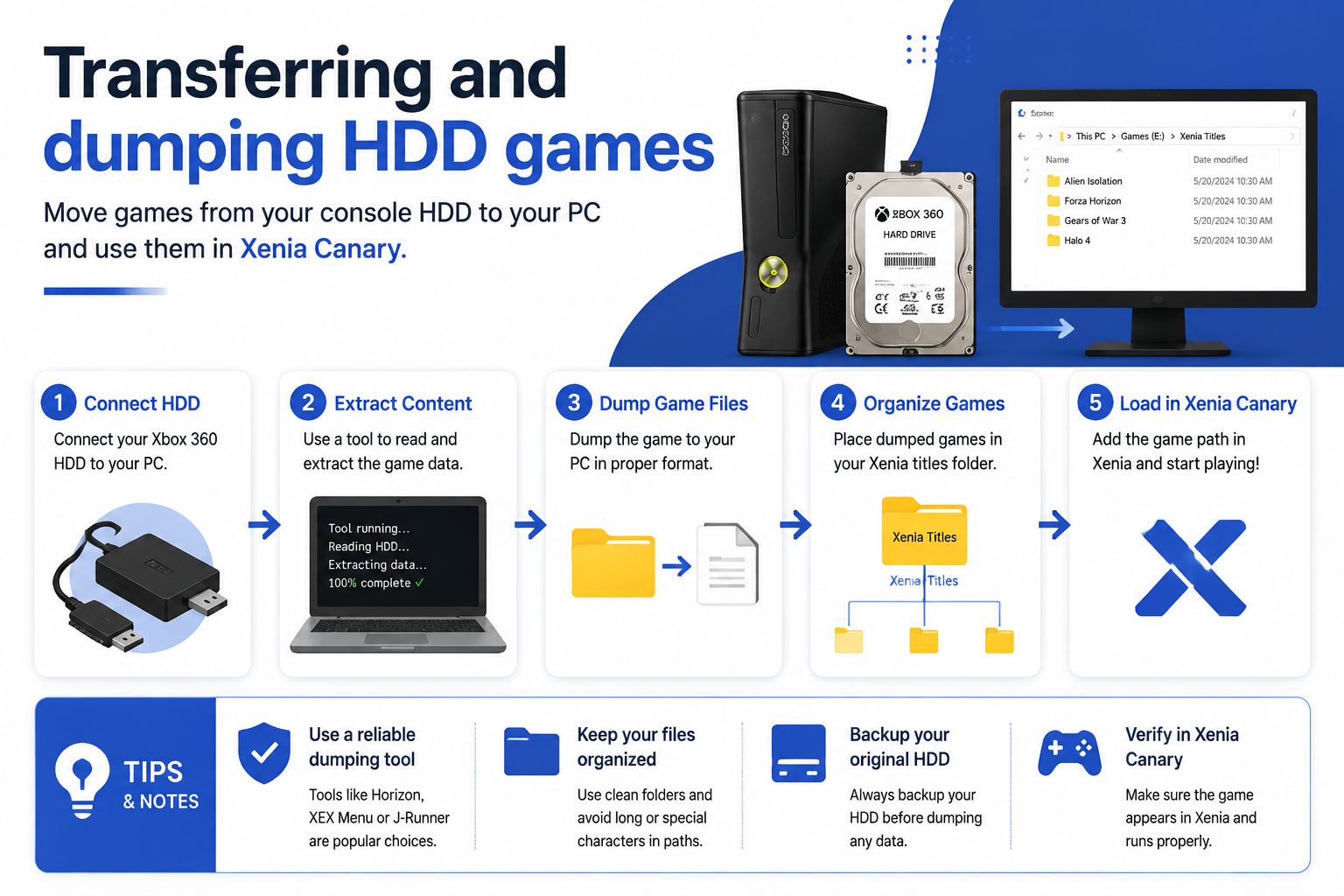
Users should maintain a clear folder structure and verify that all necessary files are included before testing the game.
Redump method (rare/specific drives): when and how
The Redump approach is used in specific situations where accurate preservation of game data is required. It may involve specialized hardware and additional verification steps.
This method is generally used by advanced users who need precise backups or are working with uncommon media setups.
Importing and organizing games for Xenia
Keeping games organized makes it easier to manage a growing Xenia library. A clean structure helps prevent missing files and simplifies troubleshooting.
Folder structure and recognized layouts
A consistent folder structure helps Xenia locate game data correctly. Users should keep emulator files, game files, updates, and saves organized separately.
Proper organization also makes it easier to update Xenia or move the setup to another system.
Adding games to Xenia and launch options
Games can be launched by selecting the correct game files through Xenia. Users should verify that the emulator recognizes the title before adjusting advanced settings.
Launch options may vary depending on the game format and configuration requirements.
Managing builds and compatibility (Canary vs Master)
Different Xenia builds may provide different levels of compatibility. Canary builds include newer changes, while Master builds focus more on stability.
Users may test both versions to find which build provides better results for specific games.
Installing DLCs, Title Updates, and savefiles
Additional content such as DLC, title updates, and save files should be managed carefully to maintain a stable game setup.
Correct placement and compatibility are important because incorrect files can prevent content from loading.
Installing DLCs & TUs on Canary builds
Canary builds may include newer improvements that affect DLC and title update handling. Users should verify compatibility before applying additional content.
Testing after installation helps confirm that updates and DLC are working correctly.
Installing DLCs on Master builds
Master builds may provide a more stable environment for managing additional content. However, support can differ depending on the game and emulator version.
Users should keep backups before applying DLC or updates.
Applying save files and profiles
Save files should be placed in the correct Xenia storage locations to ensure the emulator recognizes them.
Backing up existing saves before importing new files helps prevent accidental data loss.
Running games and recommended settings
After preparing games and files, users can adjust Xenia settings to achieve better performance and compatibility.
Settings should be changed carefully because different games may require different configurations.
Graphics and performance settings
Graphics options affect visual quality and performance. Users should balance resolution, rendering options, and hardware capability.
Lowering demanding settings can improve stability on weaker systems.
Audio, input, and saving settings
Audio settings can help resolve sound-related issues, while correct input settings ensure proper controller response.
Save settings should be managed carefully to prevent losing progress during updates or configuration changes.
Tips for stability and improved performance
Keeping drivers updated, using suitable Xenia builds, and maintaining organized files can improve overall stability.
Users should avoid changing multiple settings at once and test adjustments individually.
Troubleshooting common errors
Xenia issues can occur due to compatibility limitations, incorrect files, or configuration problems. Identifying the exact cause helps find the right solution.
Activation and license errors
Some games may require specific license data or system information to function correctly. Missing or incorrect data can cause activation-related issues.
Checking file integrity and configuration settings can help identify these problems.
When to consult the compatibility list
Compatibility lists provide information about how well specific games work with Xenia.
Users should check these resources when experiencing crashes, graphical issues, or missing features to determine whether the problem is known.
Get help, report bugs, and contribute
The Xenia community provides resources for troubleshooting, testing, and improving emulator compatibility.
How to provide feedback and file useful bug reports
Useful bug reports should include emulator version, system specifications, game details, error messages, and steps to reproduce the problem.
Clear reports help developers understand issues and improve future Xenia releases.
FAQS and Conclusion
What is Xenia emulator used for?
Xenia is an Xbox 360 emulator that allows users to run supported Xbox 360 games on compatible PC systems. It recreates the Xbox 360 environment through software, making it possible to experience console games with modern hardware, improved display options, and flexible configuration features.
Is Xenia free to download and use?
Yes, Xenia is a free and open-source emulator project. Users can download the emulator without purchasing software, but they are responsible for obtaining game files and other content legally according to their local regulations.
Which Xenia build should I use, Canary or Master?
Canary builds are updated more frequently and include newer improvements, bug fixes, and experimental features. Master builds usually focus on stability and predictable performance. Beginners may prefer Master builds, while advanced users often test Canary versions for newer compatibility improvements.
Why do some Xbox 360 games not work correctly in Xenia?
Game compatibility depends on the current development state of Xenia, the specific title, system hardware, and emulator settings. Some games may have graphical issues, crashes, missing features, or performance limitations because Xbox 360 emulation is still being improved.
Can I use Xbox controllers with Xenia?
Yes, Xenia supports many controllers, especially XInput-compatible devices such as Xbox controllers. Other controllers may work through additional mapping tools or configuration changes to match the Xbox 360 input layout.
Do I need a powerful PC for Xenia?
A capable PC is recommended because Xbox 360 emulation requires significant processing power. A modern CPU, suitable GPU, updated drivers, enough RAM, and fast storage can improve performance and reduce compatibility problems.
How can I improve Xenia performance?
Performance can often be improved by using updated graphics drivers, selecting suitable emulator settings, testing different builds, and keeping background applications closed. Adjusting resolution, graphics options, and game-specific settings can also help achieve smoother gameplay.
Conclusion
Xenia provides a powerful way to experience Xbox 360 games on modern PC hardware. With the correct setup, users can configure the emulator, manage game files, adjust performance settings, and enjoy supported titles with improved flexibility.
A successful Xenia setup requires attention to important areas such as system requirements, controller configuration, game file organization, DLC management, and emulator settings. Taking time to prepare these areas helps reduce common problems and creates a more stable experience.
Because Xenia is actively developed, compatibility continues to change over time. Users should keep their emulator updated, check compatibility information, maintain backups, and test settings carefully when adding new games.
For players interested in Xbox 360 emulation, Xenia offers an evolving platform for game preservation and modern gameplay. With proper configuration and realistic expectations, it provides a reliable way to explore supported Xbox 360 titles on PC.